, , ; , , . ; .
Android app
Read. Translate. Remember.
ReadLexa is a reader for learning languages through books. Tap a word or sentence and the translation will appear directly below the text, taking into account the context and without spoilers.
Google PlaySoonRuStoreSooniPhone and iPadSoon
What ReadLexa can do
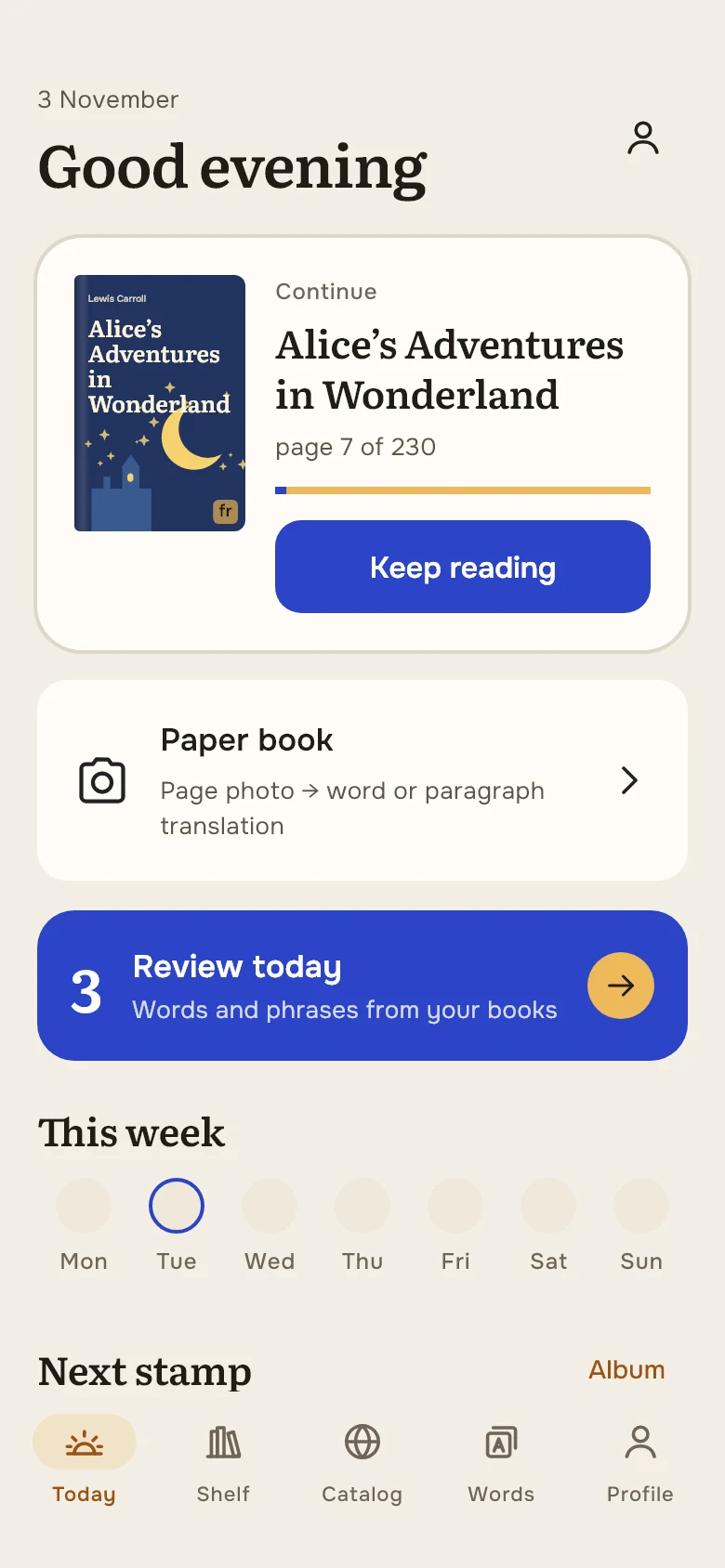
Today
One screen to return to reading
Your current book, words to review and the next stamp to earn on one screen.
- Continue from the same place
- Review words with a tap
- A daily reading goal
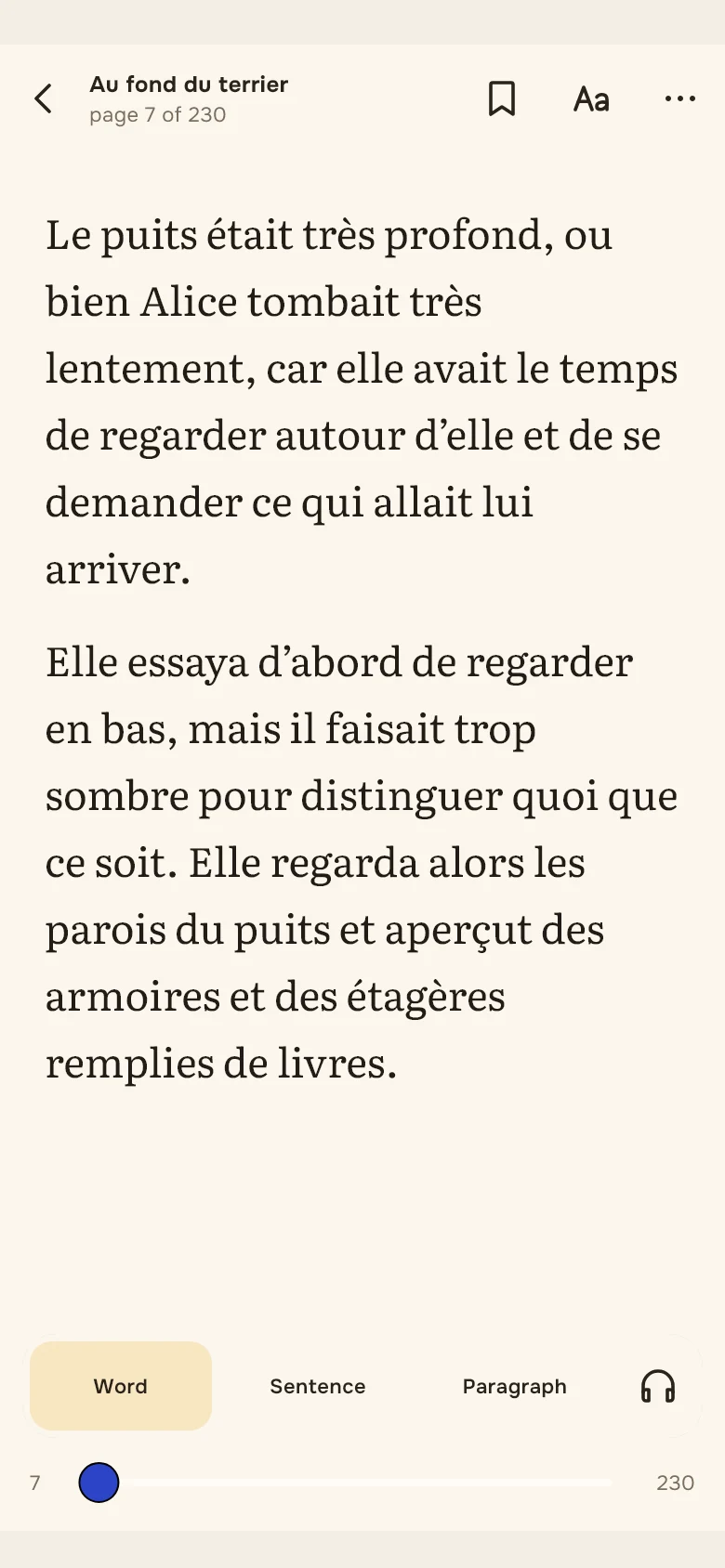
Reader
Word and sentence translation in context
- Offline dictionaries between 6 languages
- Pronunciation and phonetic transcription
- Reading mode focused on the text
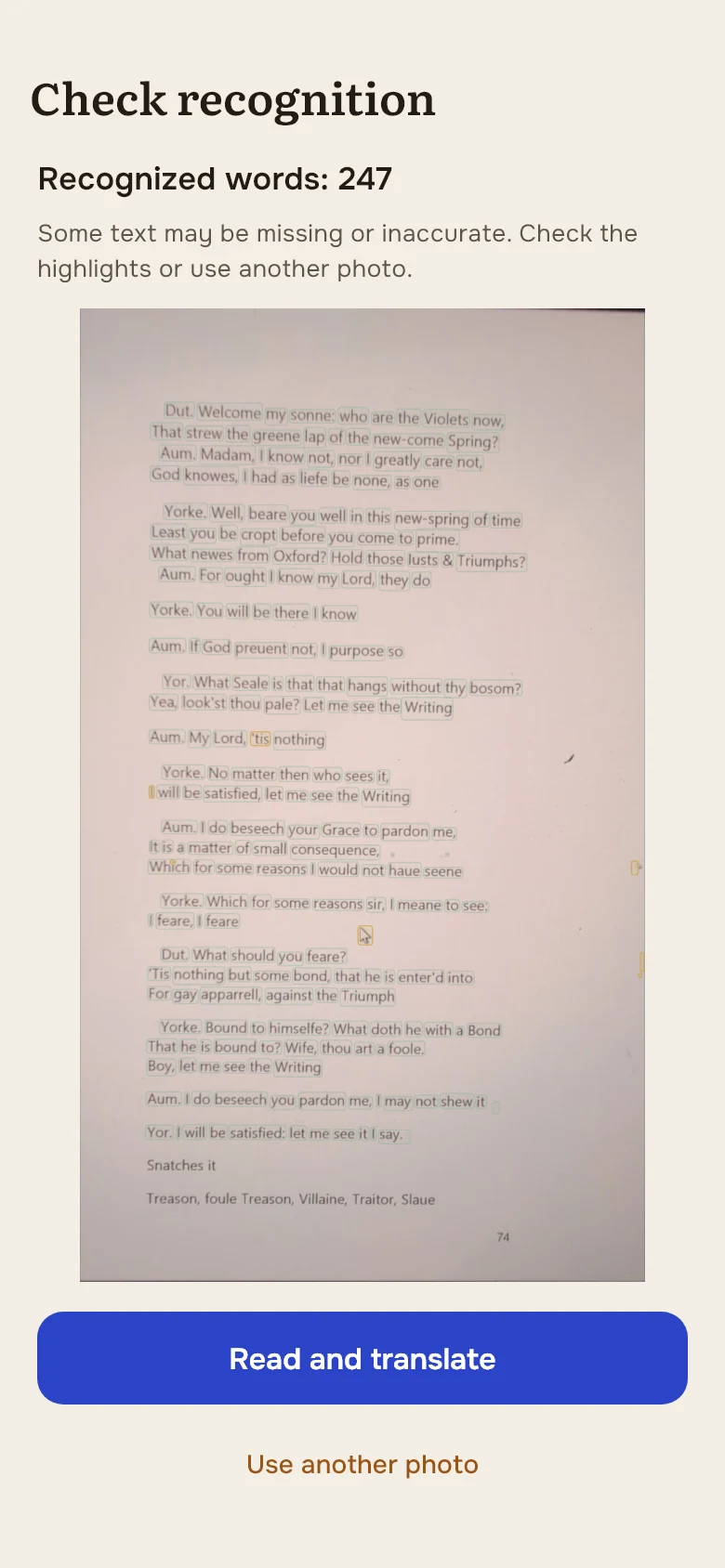
Paper book · Android
Translate a printed book from a photo
Take a photo of a page or choose one from your gallery. Select a word, sentence or paragraph directly on the photo to see a translation in context.
- Dictionary lookup and smart translation
- Listen, save words and phrases, and add them to practice
- Return to your saved scans at any time
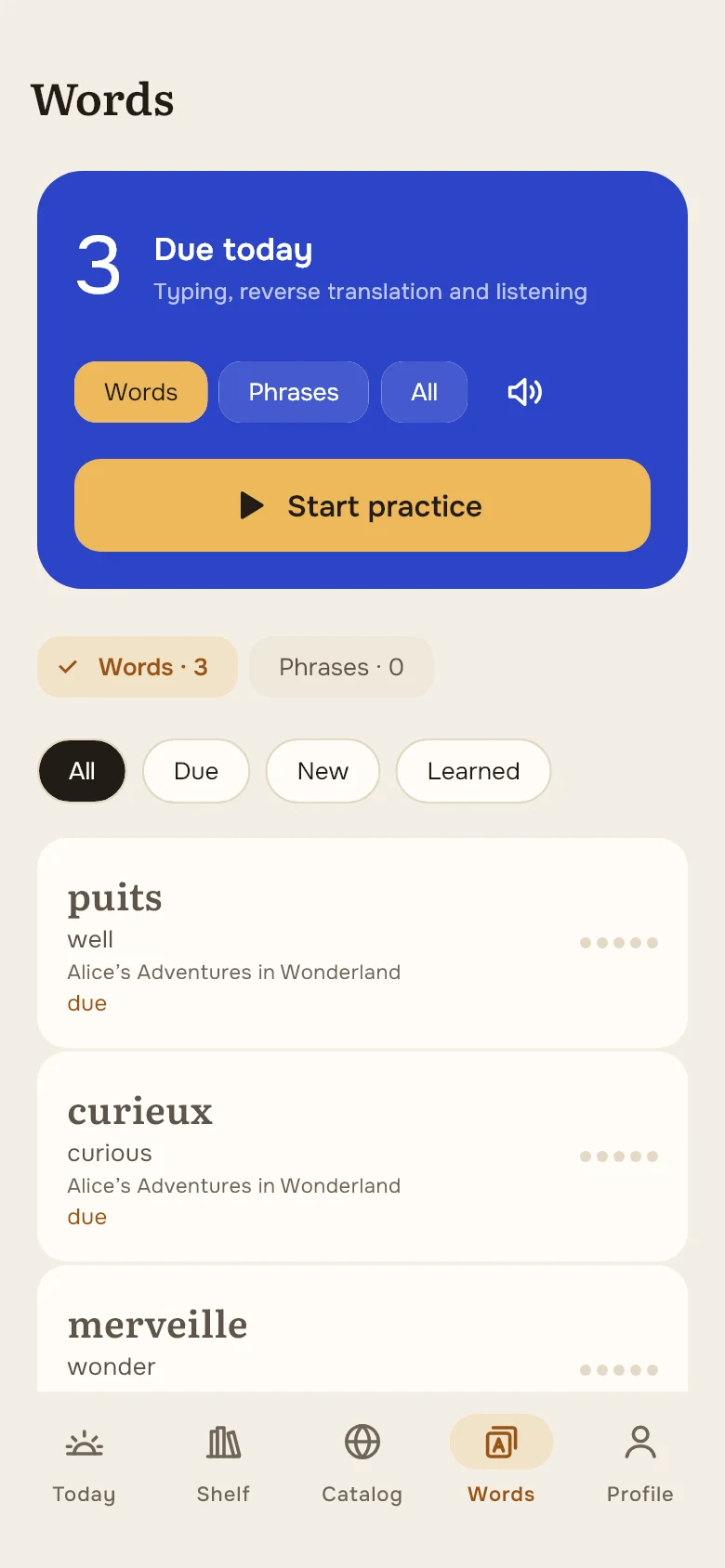
Words
Words from a book become yours
Save words and phrases directly from the text and repeat them - with voice and answer checking.
- Words, phrases or both
- Voice response via microphone
- Spaced Repetition
Catalog
The same library - inside the application
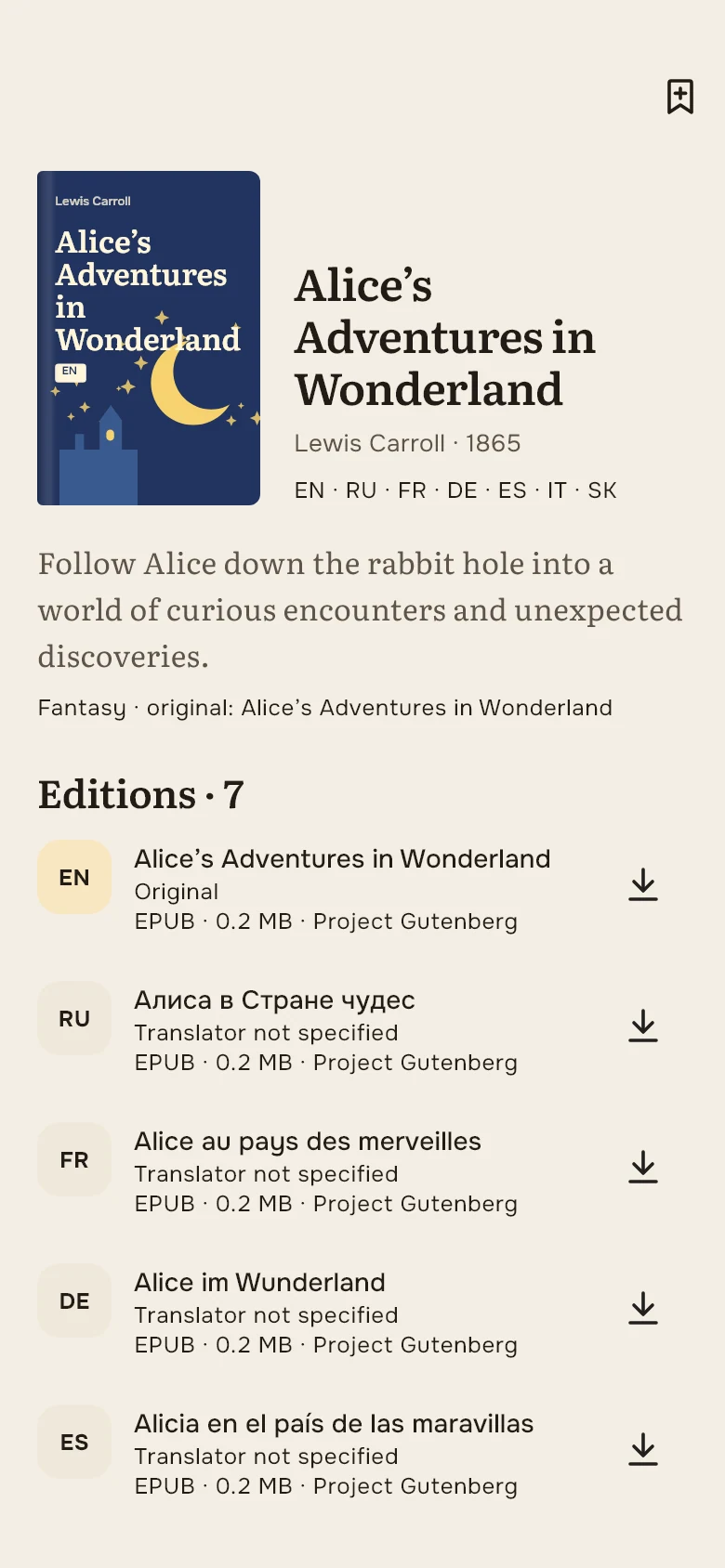
Download the selected publication and import the file to the “Shelf”.
- Filter by language and genre
- Saved and downloaded
- Import your TXT, EPUB and PDF
Stamp album
Achievements are postage stamps
28 stamps for pages, words, practice and reading habits. Each earned stamp is postmarked with the date.
- Reading, words, learning, habits
- See your progress toward the next stamp
- A personal album with achievement dates
Website and application
How does a book get on the shelf?
- Select book and languageOn the work page, each edition has its own file and translation information.
- Download the fileFrom your computer, transfer it to your phone.
- Import into ReadLexaOpen “Shelf” → “+” → “Import” and select the downloaded file.
Free features and smart actions
A smart action is a new translation in context or a new AI speech request. Each new request uses one action.
Free
All books in the current library
Offline dictionaries between 6 languages
Words, phrases and practice
Device text-to-speech
Stamp album
Reopening a previous translation
Premium1 000 actions / month
Smart actions for each month of subscription. Payment terms and prices will be available in the application when sales start.
Action pack100 actions
Actions in the pack remain available indefinitely. All users can use an action pack.
Watch an ad3 actions
Earn actions by watching an ad when one is available. These actions remain available indefinitely.
Shopping on this site is not yet available. Prices have not been published.
Questions and answers
Are books really free?
Yes, all editions of the current catalog are downloaded for free. The legal status depends on the territory - the exact information is indicated in each publication.
Can you read without the Internet?
Imported books and installed offline dictionaries are available without an internet connection. New contextual translations and AI narration require internet access.
How to open a book from a website in an application?
Select a publication and click “Read in the ReadLexa application.” A QR code will appear on your computer: scan it with your Android phone's camera. You need ReadLexa 2.0.0 or later. If the application is not already installed, install it and return to the same link. You can also download EPUB or TXT and import the file manually.
Where are my saved books stored?
The list on the site is stored only in the current browser. There is no synchronization between the site, devices and application yet.
What does “Add to waitlist” mean?
This is your local browser waitlist. Automatic notifications are not sent yet.
Will there be a paid catalogue?
Later, separate paid publications may appear. There are currently no purchases on the site: all available files are free.